In my last article, I wrote about how to create a website using the Base44 AI website builder.
Today, I’m going to write about how to create a portfolio website using one of the best AI website builders on the market: Loveable.
If you’re familiar with the vibe coding community or have tried building a website or mobile app with AI, you’ve probably heard of Loveable.
I’ve used Loveable hundreds of times and built many websites with it. Several of those websites are now live on the internet.
I’ve used both the free and paid plans. However, in this article, I’ll only use the free plan because most of you may not have access to the paid version. That way, everyone can follow along with exactly what I’m doing.
Even if you’ve never written a single line of code or you’re not a technical person, you can still create a fully professional, live, and functional website.
You don’t need any special skills. Everything you need is already within you—an idea of what you want your website to look like and what you want it to do. Simply tell the AI what you want, and the AI agent will build the website for you.
There is one small catch: you don’t need to know how to code, but you do need to learn how to communicate clearly with AI. The better you explain what you want, the better the results will be. This takes a little practice, so don’t be afraid to experiment. After a few attempts, you’ll get a feel for writing effective prompts and be able to create exactly what you have in mind.
Now, let’s follow these 4 simple steps and build a fully functional, live website in minutes.
- Step 1: Create your free Loveable account.
- Step 2: Write your prompt.
- Step 3: Modify the output if you don't like it or need to change anything.
- Step 4: Publish your site.
Before showing you the step-by-step process, let’s first understand what Loveable is, its features, and its pros and cons. Then, we’ll follow the exact step-by-step process.
What is Loveable
Loveable is an AI-powered website and app builder that lets you create full-stack web applications using plain English instead of code.
Rather than dragging elements around or writing HTML, CSS, and JavaScript yourself, you simply describe what you want to build. Loveable’s AI agent then generates the website, handles the layout, writes the code, and even helps you make changes through a simple chat interface.
Whether you want to build a personal portfolio, landing page, SaaS product, business website, or internal tool, Loveable can generate a working version in just a few minutes.
I’ve personally used Loveable hundreds of times to build different websites and experiment with new ideas. Some of those projects are already live on the internet. While it isn’t perfect, it’s one of the fastest AI website builders I’ve used, especially if you want to go from an idea to a working website without spending days coding.
Before we jump into the tutorial, let’s quickly look at its main features along with the pros and cons.
Loveable AI Features
- Build websites and web apps using simple English prompts.
- AI chat interface for editing your website without touching code.
- Generates responsive websites that work on desktop, tablet, and mobile devices.
- Can create multiple pages, forms, navigation menus, and interactive components.
- Supports publishing with a free Loveable subdomain.
- Connect a custom domain on paid plans.
- Allows you to continue improving your project through follow-up prompts.
- Great for quickly building MVPs, portfolios, business websites, and landing pages.
- Can integrate with popular services and databases for more advanced projects.
Pros
- Extremely beginner-friendly.
- No coding knowledge required.
- Very fast website generation.
- Clean and modern designs by default.
- Easy to modify using natural language.
- Free plan available for learning and testing.
- Excellent for rapid prototyping and validating ideas.
- Saves hours—or even days—compared to building everything manually.
Cons
- AI doesn't always understand complex requests on the first try.
- You may need a few follow-up prompts to get exactly what you want.
- Advanced features usually require the paid plan.
- Very large or highly customized projects may still need manual development.
Step 1: Create your free Loveable account
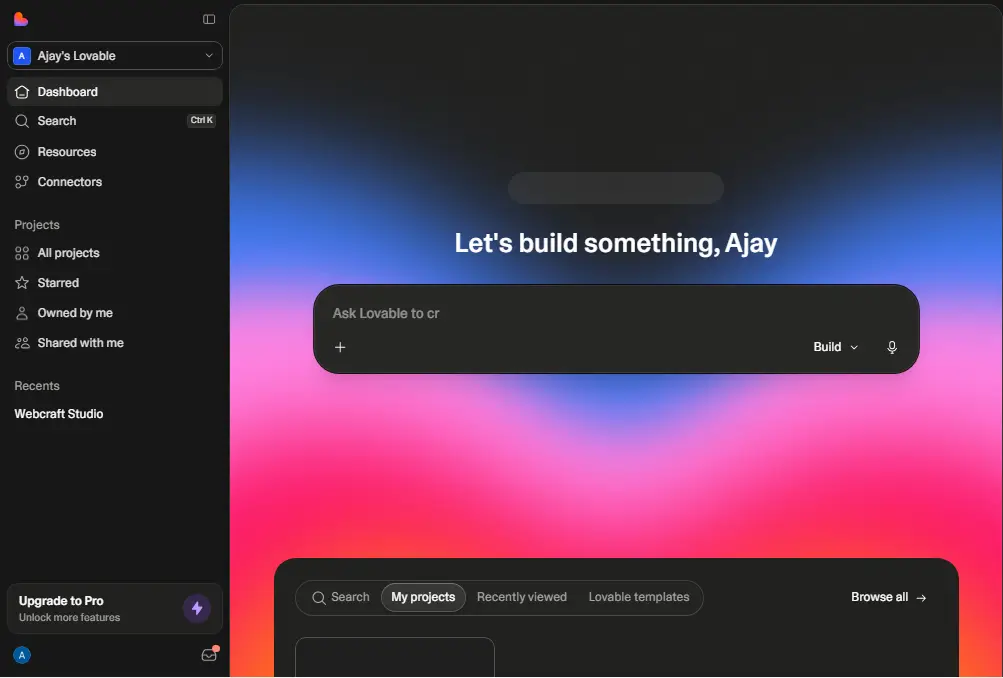
To create your free loveable account click here and then just sign up using your google account. And then you’re good to go. After creating your loveable free account you’ll redirect to an interface something look this:-
Step 2: Write your prompt
Here, you need to define your website’s purpose and goals.
In simple words, describe what kind of website you want to build, how many pages and sections you need, and how you want the website to look and feel.
Just mention everything in plain, simple language.
That’s it.
That’s all you need to do. You don’t need to be a prompt engineer anymore.
Just describe what you want, and the AI will do the rest in seconds.
I’ve been a web developer for over 6 years, and I wanted to build a portfolio website for myself.
So, I simply described my requirements in plain English.
Here’s what I wrote:
					I’m a web developer with over 6 years of experience. I use Figma to design website layouts and then build them using technologies and platforms such as Elementor, Framer, Webflow, Wix, and custom code. I also use AI-powered website builders like Loveable, Base44, Google AI Studio, and others.

Now I need a portfolio website. It should be a single-page portfolio website for my personal brand.

The landing page should include all the essential sections required for a professional portfolio website. For now, use realistic placeholder content, as I will replace it with my own content later.

The primary call-to-action (CTA) throughout the website should be: "Hire Me."

Create two CTA sections on the landing page:

The first CTA section should appear after the third section.

The second CTA section should be the final section of the page.

Use the Satoshi font throughout the website.

For the design, take inspiration from award-winning websites on Awwwards and high-quality landing page templates from the Framer Marketplace. The design should feel modern, premium, and visually engaging.

Include smooth, high-quality animations similar to Framer's animation style, with subtle transitions and polished interactions.
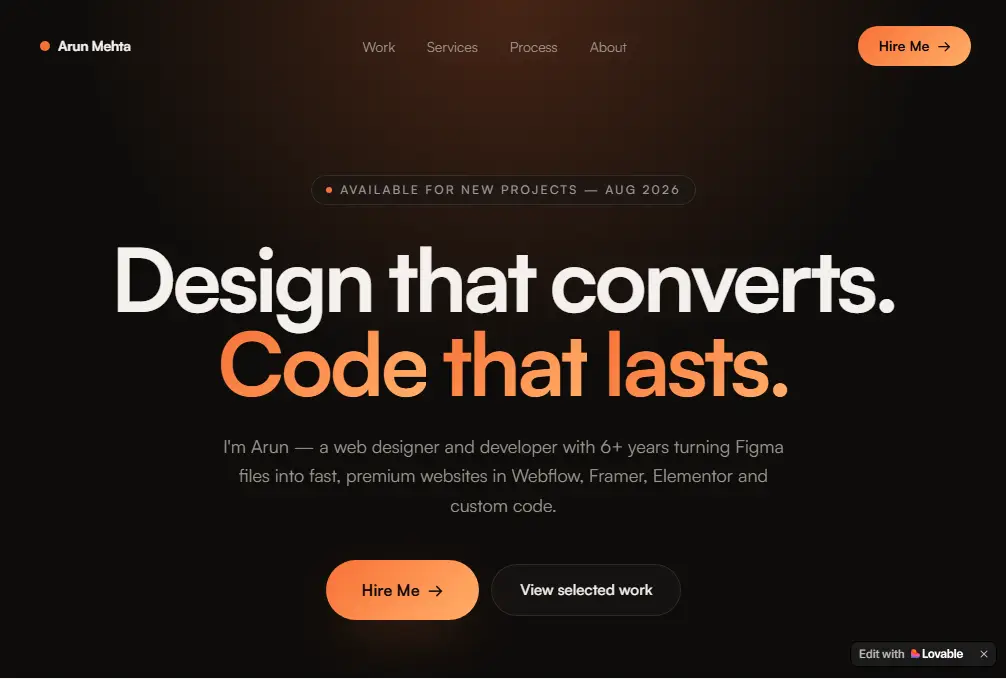
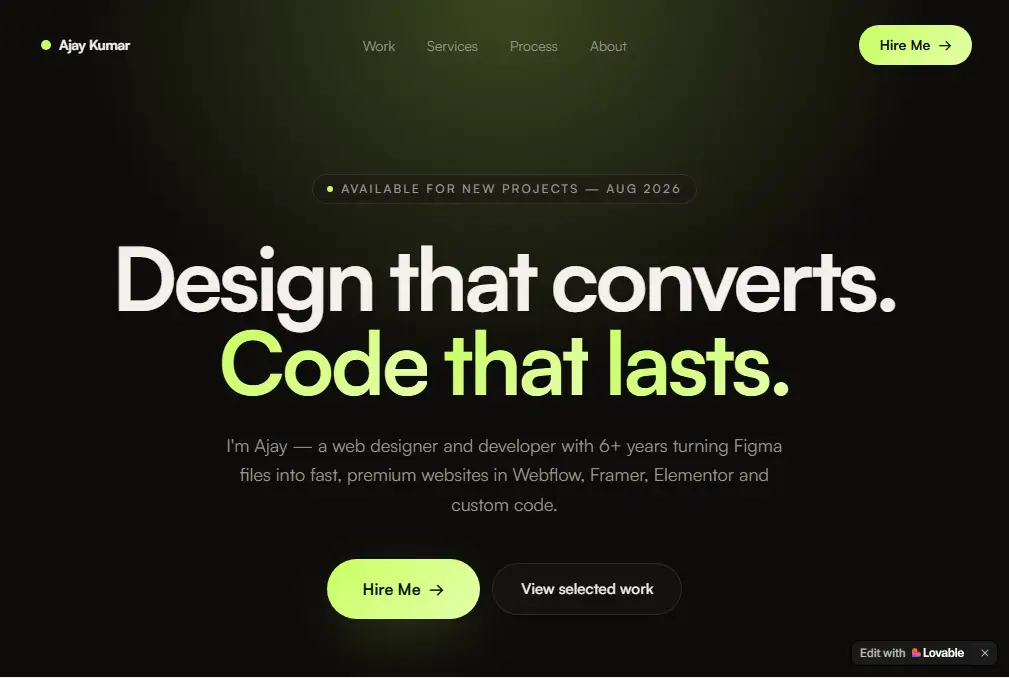
This is the first prompt I gave to the AI, and as you can see, the results are really impressive.
With just a single prompt, the results are truly remarkable.
Step 3: Modify what you need to change
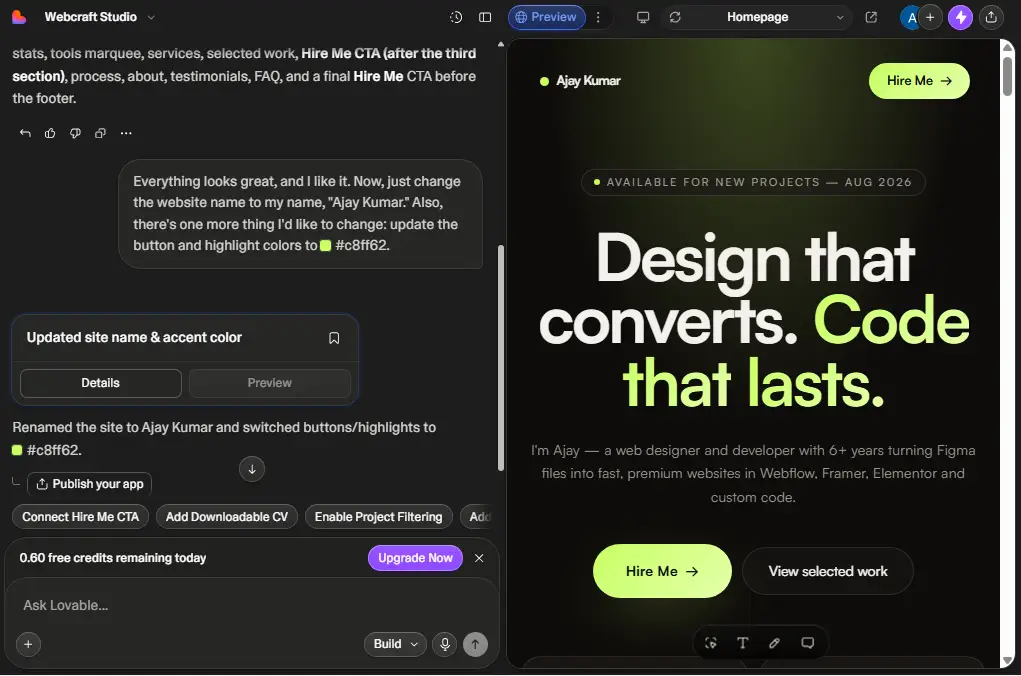
I really like and and don’t need to change anything for the design and animations and any other things. Everything is so much enough.
Now I just need to change the content only. If you need to change any other things like if you don’t like the design or animations or any other things then just mention and it will change the what you ask for and it will take only few seconds.
Now I give the AI this changes request:-
Everything looks great, and I like it. Now, just change the website name to my name, "Ajay Kumar." Also, there's one more thing I'd like to change: update the button and highlight colors to #c8ff62.
It took just a few seconds to make the changes I requested.
Now I’m happy with the results, so let’s publish the site using the free subdomain.
Step 4: Publish
Publishing your site is super simple and easy. Just click the Publish button, edit your domain if needed, and then click Publish again. Your website will be live with a free Loveable subdomain.
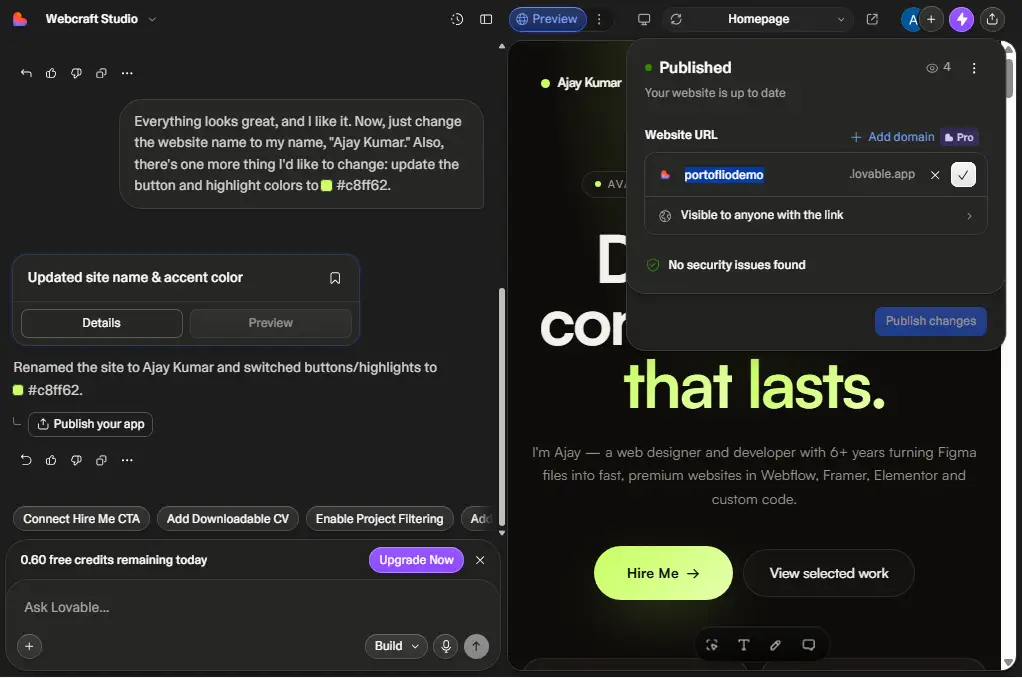
Now you can share your website with anyone, and they’ll be able to view it. If you want to use a custom domain, you’ll need to upgrade your plan.
If you’re planning to run a business or collect email addresses, upgrading your plan is a good option. You can do that from the pricing page.
If you’re just using it for practice, there’s no need to upgrade.
You can view the fully live website here and see what was built with just two prompts in about two days.
One or two years ago, building a website like this would have taken at least two days. Now, it only takes two prompts, and it’s done almost like magic.
Now we can provide more value to more people in less time.
That’s it for this article. I will write more articles on these topics and other AI website builders. I have already written one using the Base44 AI Website Builder.
Now, I’m writing all these articles myself, and I’m documenting the process while doing it step by step so that I can share a real, honest experience.
I hope I’m able to provide you with some real value, not just AI-generated fluff.