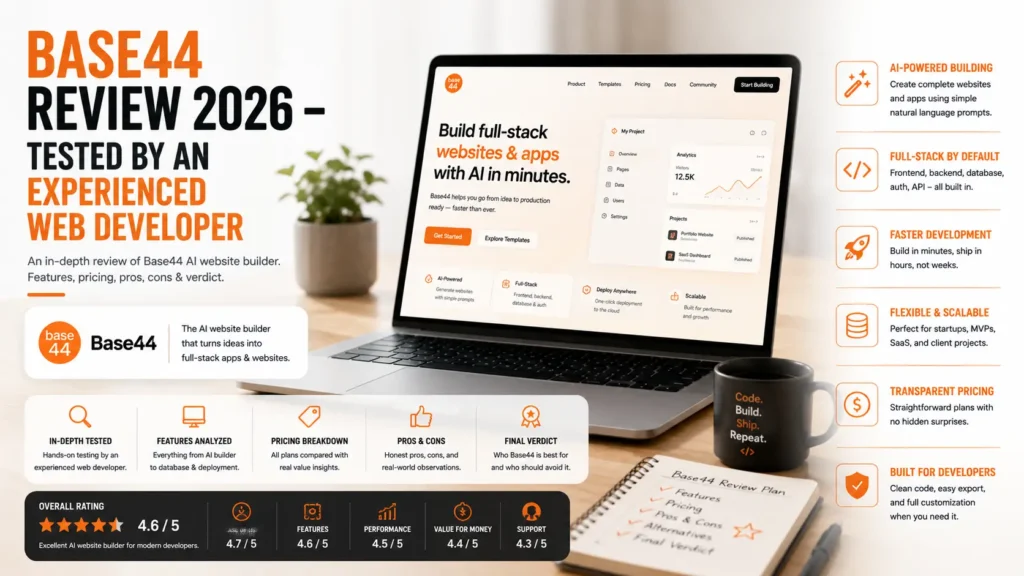
I’ve been a web developer for more than 6 years, and over the past few months, I’ve been spending a lot of time exploring vibe coding and AI-powered vibe coding platforms like Base44.
These days, I use Base44 almost every day for my work, especially when I want to turn an early idea into a working first draft. Whenever I have an idea for a product, website, or web app, I simply describe it to Base44 AI in a few lines. Within seconds, it can generate an initial version that gives me a clear idea of how the product could look and work.
What I like most is how quickly I can go from an idea to something I can actually test, publish, and share with others. Instead of spending hours setting up a project before validating an idea, I can use Base44 to create a working prototype in minutes.
In this Base44 Review 2026, I’ll take an in-depth look at the platform based on my hands-on experience, including its AI website and app-building capabilities, ease of use, features, pricing, performance, and overall limitations.
If you’re specifically looking to build a website with the Base44 AI website builder, you can also check out my dedicated guide here.
Now, let’s start with the basics.
What is Loveable
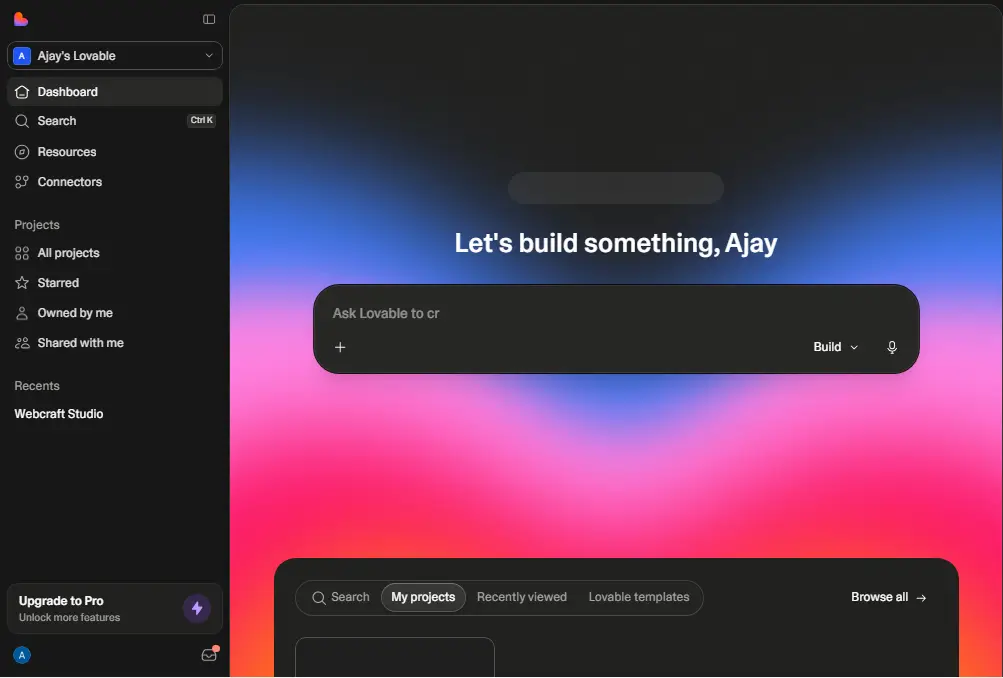
Base44 is an AI app builder that lets you create web apps using simple, plain-English prompts. You don’t need to manually set up the UI, database, authentication, or backend services. Base44 handles most of the technical setup for you.
You simply describe what you want to build, and Base44 AI generates a working app based on your prompt. This approach to building software is commonly known as vibe coding.
One thing that makes Base44 different from many other vibe coding platforms, such as Lovable and Bolt, is that it has many of the essential backend features built into the platform itself. You don’t have to rely on separate tools to store data or manage users.
Base44 comes with built-in data storage, user authentication, file uploads, and other backend functionality, making it possible to build and launch a complete web app from a single platform.
In simple words, you describe your idea, Base44 builds the first version, and you can then make changes, test it, and publish it without having to build everything from scratch.
Base44 Features
Before you even write your first prompt, Base44 already gives you most of the tools you need to start building and launching an app. This is one of the biggest reasons I think Base44 is interesting for people who don’t have a traditional developer background.
Instead of setting up a separate database, authentication system, file storage, or backend, many of these things are already available inside Base44. You can start with an idea and gradually turn it into a working web app.
Here are some of the main Base44 features you should know about:
AI App Builder: Describe what you want to build in plain English, and Base44 can generate the UI, functionality, database structure, and other parts of the app for you. You can then continue chatting with the AI to make changes and add new features.
Discussion Mode: Base44 also has a separate discussion mode where you can brainstorm and discuss your idea with the AI without directly changing your app. This can be useful when you’re not sure how to implement something or want to plan the next feature before making changes. According to Base44’s documentation, discussion mode uses fewer credits than regular building conversations.
AI-Powered Features: You can use AI inside the apps you build to create things such as AI assistants, content generation, automated workflows, data analysis, and other AI-powered functionality. This means you can build an app that uses AI without having to manually connect every AI service from scratch.
Automatic Database Management: One of the most useful features for beginners is the built-in database system. Base44 can understand the type of data your application needs and create the required data structure as you build your app. You can then use that data throughout your application without manually setting up a database.
Built-in User Authentication: Base44 includes user authentication, so you can create applications where users can sign up, log in, and access their own data. You can also create different user roles and permissions depending on what your application needs.
File Storage: Your application can handle file uploads such as images and documents. This is particularly useful for apps that require users to upload profile pictures, PDFs, documents, or other files without having to configure a separate storage service.
Built-in Email: Base44 can also be used to send emails from your application. This can be useful for things like welcome emails, notifications, password-related emails, or other communication with your users.
Payments and Subscriptions: Base44 supports payment functionality through Stripe, making it possible to build apps that charge users for products, services, or subscriptions. This is especially useful if you’re building a SaaS product or another type of paid web application.
API and Backend Functionality: Base44 handles much of the backend infrastructure behind your application. It can create the required API functionality around your data and connect different parts of your app without requiring you to manually build a backend from scratch.
Analytics: Base44 provides tools to help you understand how people are using your application. Depending on your setup, you can track things such as users, activity, and other important data from your app.
Custom Domains: Once your app is ready, you can connect a custom domain instead of using a platform-generated URL. This is important if you’re building a professional website, SaaS product, client project, or public-facing web app.
GitHub Integration: If you want more control over your code, Base44 also provides GitHub integration. This can be useful when you want to manage your project through GitHub or work with the generated code outside of the Base44 environment.
Workflow Automation: You can create workflows to automate repetitive tasks inside your application. For example, you can trigger an action after a user submits a form, creates an account, or completes a specific step.
Real-Time Collaboration: Base44 supports collaboration, which makes it easier for teams to work on the same project. This can be useful when a designer, developer, or client needs to work on the same application.
Version History: When you’re experimenting with AI-generated changes, it’s easy to make a change that you later don’t like. Version history gives you a way to review previous changes and restore an earlier version when needed.
Testing and Debugging: Base44 can help you identify and fix issues in your application through its AI-assisted development and debugging tools. This is particularly useful because AI-generated apps can sometimes introduce bugs when you make several changes quickly.
Responsive Design: The apps you build with Base44 are designed to work across different screen sizes, including desktop and mobile. However, I still recommend testing the final app on different devices because AI-generated layouts may sometimes need additional adjustments.
Visual Editor: Not every small design change needs an AI prompt. Base44 also provides visual editing capabilities that allow you to make certain changes to your app’s appearance, such as adjusting fonts, colors, spacing, and other design elements.
Third-Party Integrations: Base44 can connect with external services to extend what your application can do. Depending on the available integrations, you can connect services for payments, communication, automation, AI, and other functionality.
Overall, the biggest advantage of Base44 is that these features are available within the same development environment. You don’t necessarily need to create a separate account for every backend service and then spend hours connecting everything together.
For someone like me who already has a development background, this can save a lot of time during the early stages of a project. And for someone without a coding background, it removes a lot of the technical setup that normally makes app development difficult.
However, having a long list of features doesn’t automatically mean Base44 is the best option for every project. The more important question is how well these features actually work in real-world projects. That’s what I’ll look at throughout this Base44 review.
Base44 Pricing
Base44 offers five different pricing plans, starting with a free plan and going up to the Elite plan for users and teams with heavier requirements. The prices below are the monthly equivalent when you choose annual billing. If you pay month-to-month, the price is higher.
| Plan | Price | Who it's for |
|---|---|---|
| Free | $0/month | Trying Base44 and small experiments |
| Starter | $16/month | Solo builders and first real projects |
| Builder | $40/month | More active app development |
| Pro | $80/month | Heavy usage and advanced projects |
| Elite | $160/month | Teams and larger-scale applications |
At first, the pricing looks fairly simple. But there is one important thing you need to understand before choosing a Base44 plan: the platform uses a credit system.
How Base44 Credits Work
Base44 has two different types of credits, and they are used for different things.
Message credits are mainly used when you interact with Base44 AI to build and modify your application. For example, when you give the AI a prompt to create a feature, change the design, fix something, or make another modification, it uses message credits.
Integration credits are used by your live application for different operations. These can include things such as LLM calls, file uploads, image generation, emails, SMS, and other connected services.
This is something I think you should pay attention to when calculating the real cost of using Base44. The price of the plan is not the only thing you need to consider. You also need to think about how quickly you will use both types of credits.
Another important thing to know is that unused credits do not roll over to the next billing cycle. So if you have credits remaining at the end of your billing period, you generally can’t carry them forward and use them later.
The Free plan gives you 25 message credits and 100 integration credits, along with the ability to create unlimited apps. This is useful if you simply want to test Base44, experiment with a few ideas, and understand how the platform works.
However, if you’re planning to build and run a real application, the Free plan will likely feel quite limited. As your app becomes more complex and you use more AI features, integrations, emails, file uploads, or other services, your credit usage can increase quickly.
So, when comparing Base44 pricing, don’t look only at the $16, $40, $80, or $160 monthly plan price. You should also consider how many message credits and integration credits your project is likely to consume.
For me, this credit system is one of the most important things to understand before using Base44 for a serious project. The platform can be very cost-effective when you use it efficiently, but your actual monthly cost can depend heavily on how you build and use your application.
Base44 Pros and Cons
After using Base44 regularly, I think the platform has a very clear strength: speed. It can take an idea that would normally require a lot of setup and turn it into a working web app very quickly.
But Base44 is not perfect, and I don’t think you should choose it just because it can build an app from a prompt. The more complex your application becomes, the more you start to notice the limitations of an AI-first development platform.
Here are the main Base44 pros and cons I found while using it.
Pros
- Very fast development: Turn an idea into a working app in minutes.
- Beginner-friendly: Build apps without deep coding knowledge.
- Built-in backend: Database, authentication, storage, and APIs are included.
- Great for MVPs: Quickly build and test product ideas.
- Easy AI editing: Keep chatting with Base44 to improve your app.
- Built-in integrations: Connect payments, AI, email, and other services.
- Responsive apps: Apps work across desktop and mobile devices.
- Visual editing: Make design changes without writing code.
- Custom domains: Connect your own domain to your published app.
- Free plan: Test Base44 before paying for a subscription.
Cons
- AI can make mistakes: Sometimes it doesn't follow your prompt exactly.
- Limited technical control: You have less control than with traditional development.
- Credit limits: Heavy usage can consume credits quickly.
- Complex apps can be challenging: Larger projects may require more manual debugging and technical knowledge.
My Personal Review of Base44
I’ve been using Base44 for the last few months, and during this time, I’ve built quite a few websites and web apps with it. Some of these projects are already live, and my clients have been very happy with the features and overall experience.
What I like the most about Base44 is how well it understands what I’m trying to build. Whenever I have an idea, I simply explain it in the prompt box with as much detail as possible, and within a few seconds, Base44 creates the first version of the project.
Of course, the first draft is not always perfect, but in most cases, I get something very close to what I had in mind. From there, I can continue chatting with the AI, make changes, add features, and improve the design until I get the result I want.
The Free Plan Is Really Useful
Another thing I really like about Base44 is the free plan. You can build websites and web apps, test your ideas, and even make them live using a free Base44 subdomain without immediately paying for hosting or a custom domain.
I think this is especially useful for beginners.
When I was starting my career as a web developer, I didn’t have much money to spend on domains, hosting, and other tools. At that time, getting a website online usually required more technical knowledge and upfront costs.
Today, things are very different. With tools like Base44, someone who is just starting out can describe an idea to AI, build a working website or web app within minutes, and publish it online without spending money on hosting.
If you’re a new developer or simply someone who wants to learn by building, I think this is a really useful way to get started. You can experiment with different ideas, build real projects, and learn along the way without needing a big initial investment.
Wix Acquisition Adds More Confidence
Another thing that gives me more confidence in Base44 is that Wix acquired Base44. Wix is already a well-established name in the website-building industry, so having Base44 under Wix gives the platform additional credibility and makes me more comfortable recommending it for long-term projects.
My Overall Experience
Overall, my experience with Base44 has been very positive. The biggest benefit for me is not that it completely replaces traditional web development, but that it makes the first stage of development much faster.
I can take an idea, create the first version, test it, make changes, and share a working project with a client without spending days building everything from scratch.
As a developer, I see Base44 as a tool that can save a huge amount of time. And for beginners, I think it can remove many of the barriers that traditionally made getting started with web development difficult.
That’s why, after using Base44 for several months and building real websites and web apps with it, I think it is one of the more interesting AI app builders available right now.
Not Everyone Needs Base44
Base44 is a great fit for some people, but I don’t think it’s the right choice for every project.
Who Should Use Base44
- Solo founders: Build and test an MVP without hiring a developer.
- Non-technical users: Create websites and web apps without deep coding knowledge.
- Small teams: Build internal tools, dashboards, CRMs, and simple workflow apps quickly.
- Students: Learn by building real projects without a large upfront investment.
- Idea validators: Turn an idea into a working prototype and test it with real users.
Who Should Avoid Base44
- Large production apps: Complex applications may require more control and technical customization.
- Developers needing full control: Traditional development gives you much more control over the code and architecture.
- Very tight budgets: Credit usage can make your actual monthly cost harder to predict.
- Pixel-perfect projects: You may find Base44 limiting when you need highly detailed or custom UI designs.
So overall, I think Base44 is a very good no-code app builder for vibe coding, especially if your main goal is to turn an idea into a working website or web app as quickly as possible.
What I like most about Base44 is its speed and simplicity. You can explain your idea in plain English, get a working first draft within minutes, and then continue improving it with AI. The built-in database, authentication, hosting, and other features also make the whole process much easier.
But it’s not perfect. You may sometimes need to fix AI-generated mistakes, and as your project becomes more complex, you may want more control over the code and architecture. The credit system is also something you should keep in mind if you plan to use Base44 heavily.
For me, Base44 is best for MVPs, prototypes, internal tools, small businesses, and anyone who wants to build and test an idea quickly. If you need complete technical control over a large and highly complex application, traditional development may still be the better option.
If you want to try Base44 yourself, you can try Base44 here and start building your first app.
Base44 Review 2026: Frequently Asked Questions
1. What is Base44?
Base44 is an AI app builder that lets you create websites and web apps by simply describing what you want in plain English. It can handle many parts of the development process, including the UI, database, authentication, and backend.
2. Is Base44 free to use?
Yes, Base44 has a free plan that you can use to build and test websites and web apps. The free plan also lets you publish your project using a Base44 subdomain, but it comes with limited credits.
3. Is Base44 good for beginners?
Yes, I think Base44 is a very good option for beginners because you don’t need deep coding knowledge to start building. You can simply explain your idea to the AI and let it create the first version for you.
4. Can I build a real website with Base44?
Yes, you can build and publish real websites with Base44. You can also connect a custom domain if you want to use your own domain instead of the Base44 subdomain.
5. Can Base44 build web apps?
Yes, this is actually where I think Base44 is more useful. You can build web apps with user accounts, databases, file uploads, payments, AI features, and other functionality.
6. Is Base44 good for vibe coding?
Yes, Base44 is one of the platforms I would consider for vibe coding. You describe what you want to build, Base44 generates the first version, and then you continue chatting with the AI to improve it.
7. Can I publish a Base44 app for free?
Yes, you can publish your project using the free Base44 subdomain. However, if you want to use your own custom domain and need more resources, you will need to look at the paid plans.
8. Is Base44 good for building an MVP?
Yes, I think this is one of the best use cases for Base44. You can turn an idea into a working MVP quickly, test it with users, and make changes without spending weeks building everything from scratch.
9. Is Base44 better than traditional web development?
I wouldn’t say it is simply better. Base44 is much faster for prototypes, MVPs, and simpler projects, while traditional development gives you much more control over the code, architecture, and advanced customization.
10. Is Base44 worth it in 2026?
Based on my experience, I think Base44 is worth trying if you want to build websites, web apps, prototypes, or MVPs quickly. It has some limitations, especially for complex projects, but the speed and ease of building make it a very useful AI app builder.
References
- Base44 Official Website: Official information about Base44 and its AI app-building platform.
- Base44 Pricing: Current Base44 plans, pricing, credits, and available features.
- Base44 Features: Information about Base44’s app-building, database, authentication, hosting, and other features.
- Base44 Documentation: Official documentation covering how Base44 works, AI chat modes, app building, integrations, and other platform features.
- Product Hunt – Base44 Reviews: User reviews, ratings, and feedback from the Product Hunt community.
- Wix Acquires Base44: Information about Wix and its acquisition of Base44.
- Google Cloud – What Is Vibe Coding?: Background information about vibe coding and AI-assisted software development.